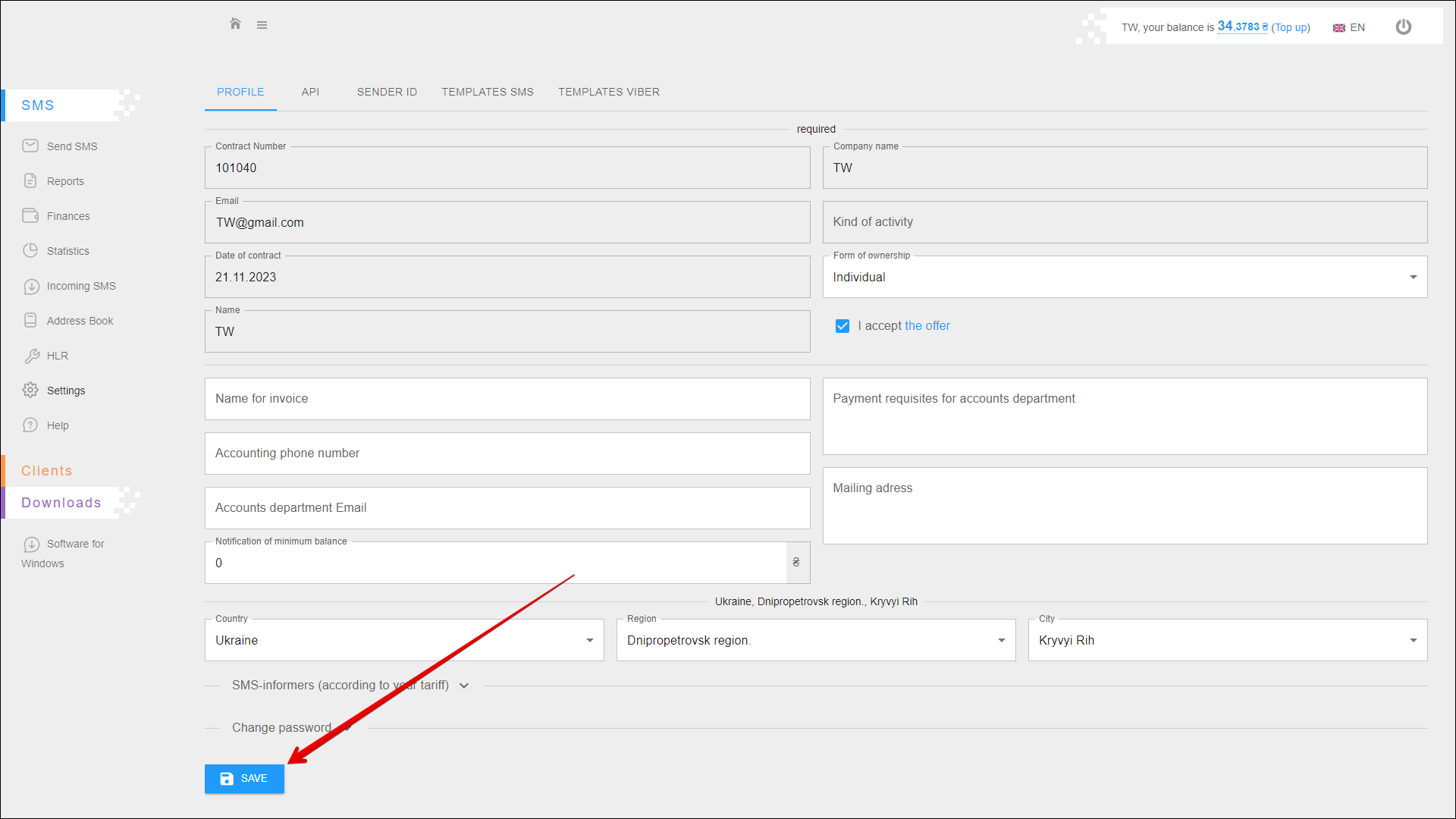
Profile
This tab contains basic information about your profile. You can correct or update it at any time, and you can also change your password.
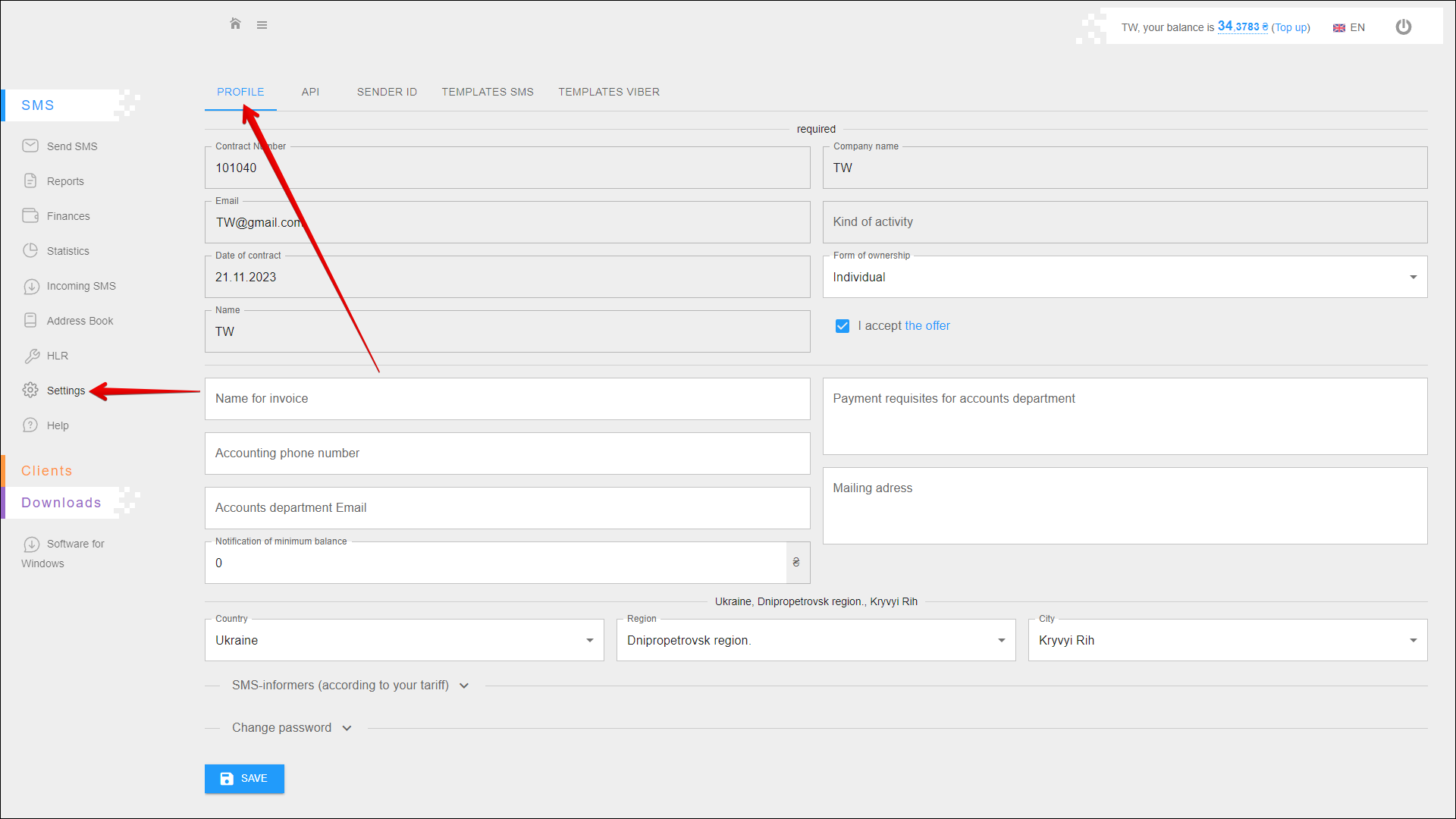
To open this tab, select SMS → Settings in the side menu and select PROFILE tab.
Required information
The required information on your profile contains the following data:
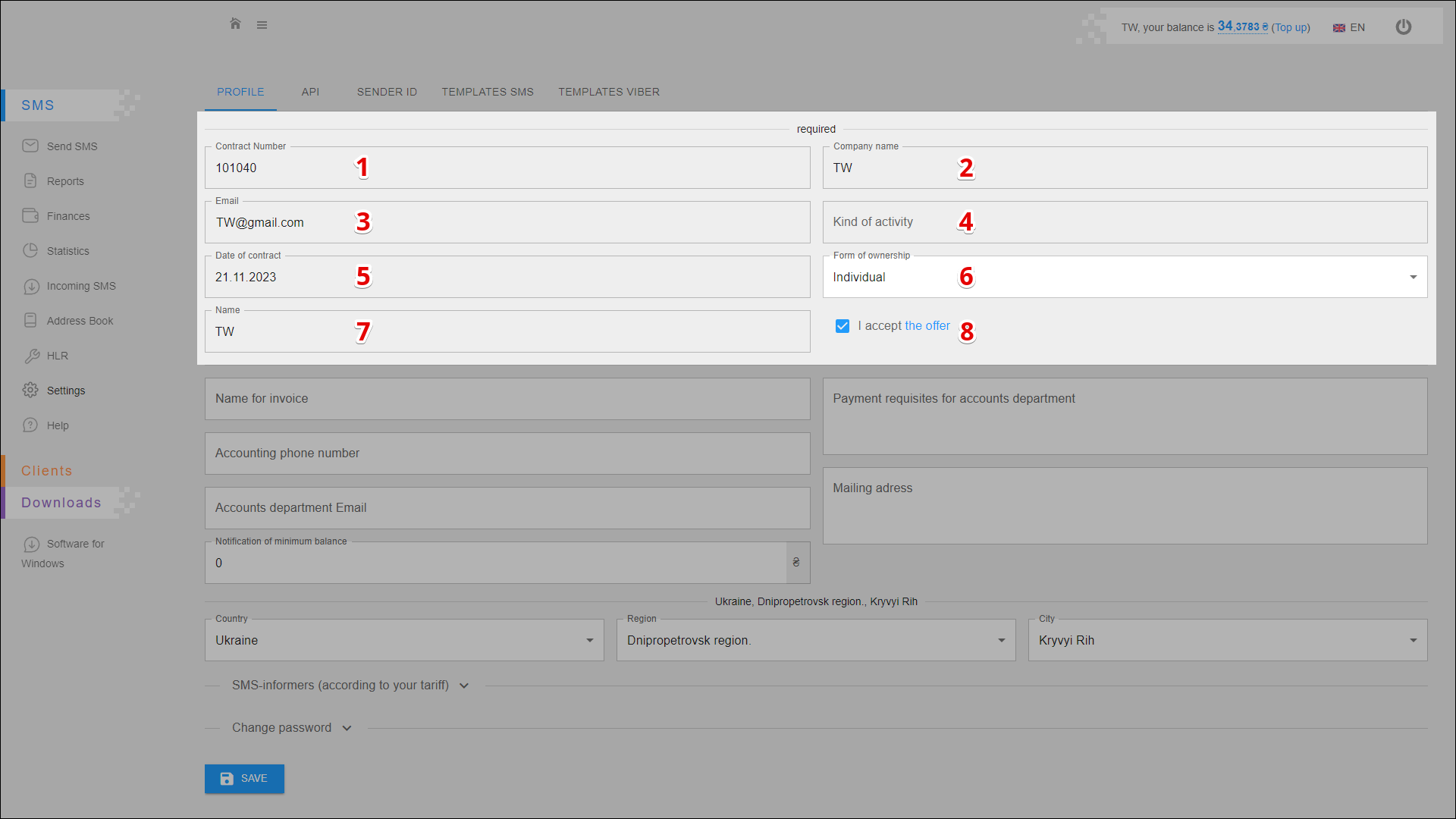
| № | Data | Description |
|---|---|---|
| 1 | Contract Number | Number of the contract concluded with the company 🛈 Not available for editing |
| 2 | Company Name | Name of your company 🛈 Not available for editing |
| 3 | Your e-mail address 🛈 Not available for editing | |
| 4 | Kind of activity | Kind of activity of your company 🛈 Not available for editing |
| 5 | Date of contract | Date of contract conclusion 🛈 Not available for editing |
| 6 | Form of ownership | |
| 7 | Name | Your name 🛈 Not available for editing |
| 8 | Offer | Checkbox for agreeing to the terms of the contract |
Non-required information
The non-required information on your profile contains the following data:
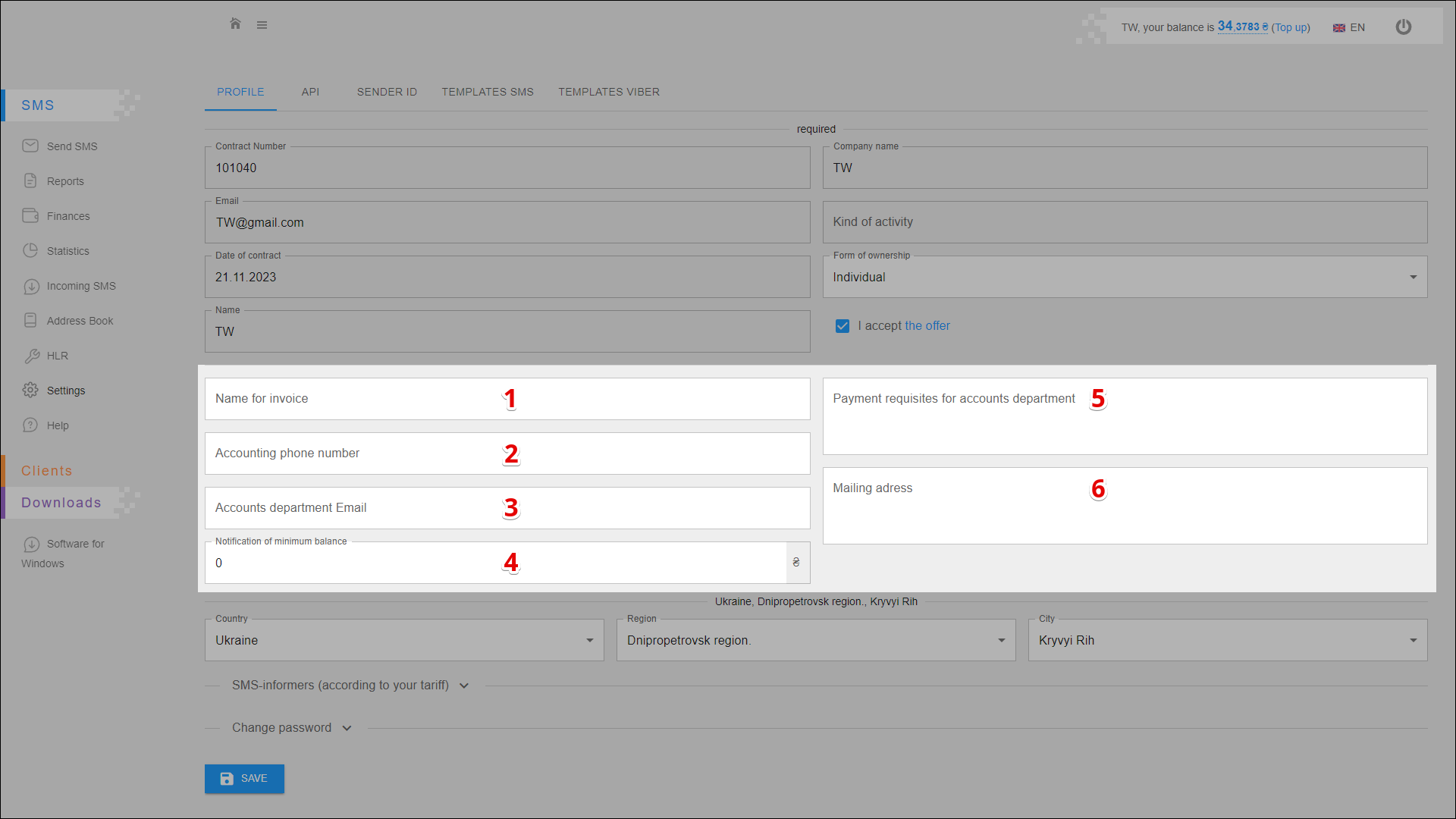
| № | Data | Description |
|---|---|---|
| 1 | Name of invoice | - |
| 2 | Accounting phone number | Phone number of your company's accounting department |
| 3 | Accounts department Email | The e-mail address of your company's accounting department |
| 4 | Notification of minimum balance | Amount of minimum balance (in UAH), at which you will receive a notification about low balance level |
| 5 | Payment requisites for accounts department | Payment requisites for your company's accounting department |
| 6 | Mailing address | - |
Your address
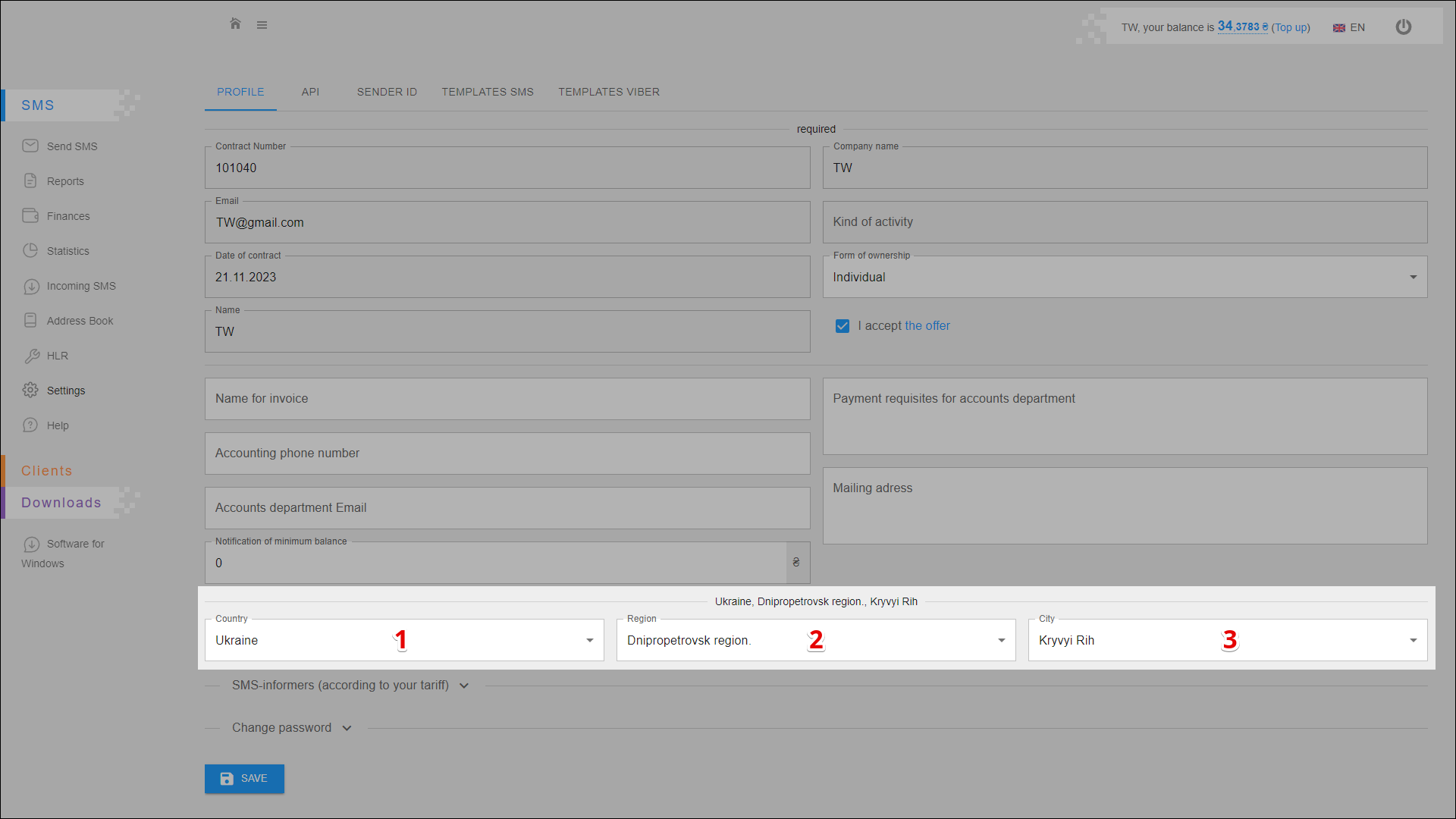
You can also specify your current address in your profile. To do this, follow the steps below:
| № | Action |
|---|---|
| 1 | Select a country |
| 2 | Specify a region |
| 3 | Choose a city |
Password change
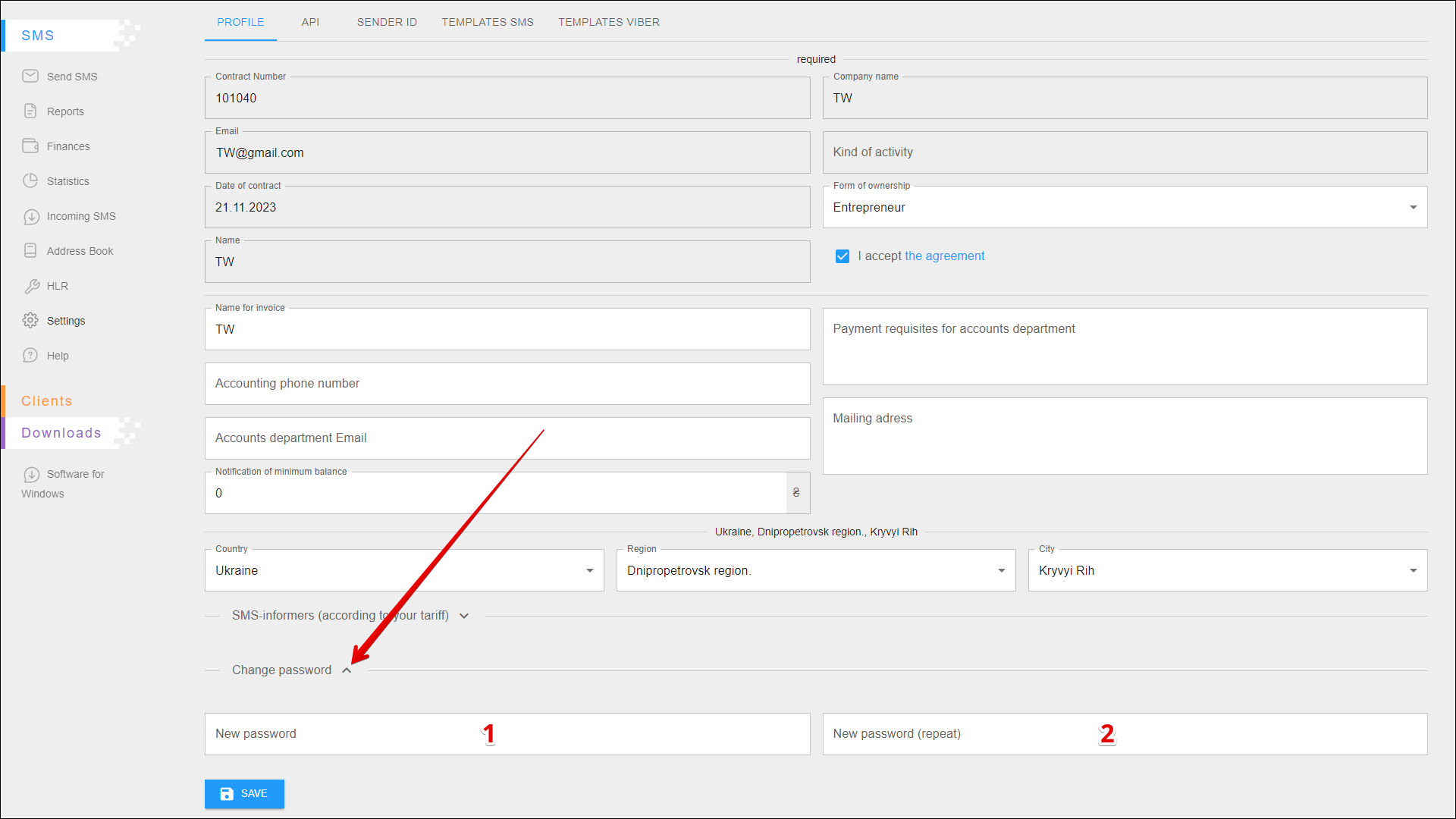
To change the password, expand the block and follow the steps below:
| № | Action |
|---|---|
| 1 | Enter a new password |
| 2 | Repeat the new password |
Saving changes
To save all changes, press the SAVE button.